
Valentina Akpan: Founder of Rellatech, providing administrative and operations support to executives, founders, business owners and teams. Her background combines technical support, customer success, administration and operations.
The deadline
The CEO messaged me 90 minutes before her keynote. The Google Slides deck had 37 slides, 21 of them shown, and several people had worked on it. She was still editing it herself, so I had to work in her live file without getting in her way.
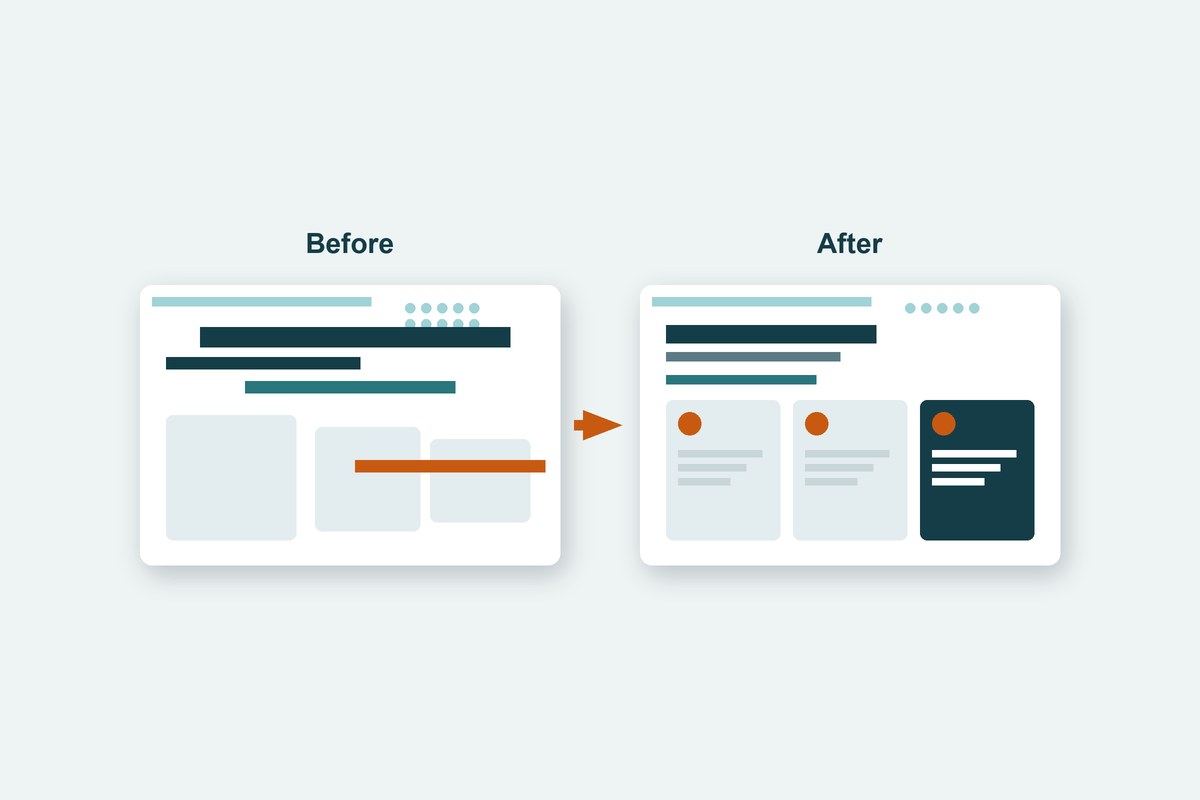
What was wrong with the deck
Nothing was broken on its own, but nothing matched:
- ●Slide titles in five different font sizes, starting in three different places.
- ●Long titles running into the logo and into the content below.
- ●Subheadings in different fonts, colours and positions.
- ●A decorative pattern covering the titles on eleven slides.
- ●Large empty gaps between headings and the content under them.
New requests kept coming in while I worked: copy three slides from an older deck into an empty slot, fix a slide a colleague had commented on, then export a PDF and email it to the team, because the CEO's own PDF download was not working.
Why I used Google Apps Script instead of fixing slides by hand
Fixing 21 slides one text box at a time would have taken longer than the time left, and by hand one title usually ends up a few points off. Google Apps Script runs inside Google Slides, so a short function can set the same size and position on every slide in seconds, in the same file and link everyone already had.
This is the core of the title fix. It skips hidden slides, finds the title on each slide, and gives every title the same position, size and colour:
function standardizeTitles() {
  var slides = SlidesApp.getActivePresentation().getSlides();
  slides.forEach(function (slide) {
    if (slide.isSkipped()) return;          // leave hidden slides alone
    var title = findTitle(slide);           // the largest text near the top
    if (!title) return;
    title.setLeft(21).setTop(22).setWidth(565);
    title.getText().getTextStyle()
      .setFontSize(20).setBold(true).setForegroundColor('#00304A');
  });
}
After each run I exported a fresh PDF of the deck and looked at every slide before the next change.
What I Did
- 1.Set one size, colour and position for the title on every presented slide. Long titles became a bold first line and a smaller second line, with every word kept.
- 2.Hid the extra rows of the decorative pattern so it no longer covered any title.
- 3.Copied three slides from the older deck straight into the empty slot, then matched them to the new style.
- 4.Gave every subheading the same font, size, colour and position.
- 5.Fixed the slide with the comment, moved content up into the empty gaps and made the two chart images the same size.
- 6.Made a PDF of only the 21 presented slides, attached it to a Gmail draft for the CEO and two colleagues, and left it for review before sending.
Hidden slides were left alone and nothing was deleted. Every change happened in the CEO's original file, so her link and her own edits stayed in place.
The Result
The deck had one title style and one subheading style from the first slide to the last before the keynote started. The work took about an hour, against around two and a half hours by hand.
The CEO presented from the same link she had shared, and the team had the PDF ready to send to the conference organizer. The scripts stay attached to the deck, so the same cleanup can run before the next event.
Tools Used
Questions about Google Slides cleanup
Can Google Apps Script change formatting on every slide at once?
Yes. A script attached to the deck can find the title on each slide and set the same font size, colour and position in one run. It can also move, resize and restyle any text box, shape or image, and skip slides that are hidden.
Will a script change the words on my slides?
Only if it is written to. In this project the script changed formatting and position only. The one wording change, splitting a long title into a title and a smaller second line, kept every word the client wrote.
Can I fix a deck while someone else is still editing it?
Yes. Google Slides saves changes from a script and from people in the same file, so the CEO kept editing while I worked. I exported a fresh PDF after each run to check the result before moving on.
Can I export only the slides being presented to PDF?
Yes. The script makes a temporary copy of the deck, removes the hidden slides from the copy, saves it as a PDF and moves the copy to the trash. The original deck is not changed.
How long does a deck cleanup like this take?
This one took about an hour for 21 presented slides, including merging in slides from an older deck and preparing the PDF. Doing the same by hand takes around two and a half hours.
Who This Is For
- ●An executive whose decks are put together by several people and never quite match.
- ●A team that needs a presentation fixed on a short deadline, in the file everyone already uses.
- ●Anyone who reuses slides from older decks and restyles them by hand.
If you need a new deck designed rather than an existing one cleaned up, see my pitch deck and presentation design work.
Need a deck fixed before a deadline?
Tell me what the presentation is for, when it is due and who is working on it. I provide administrative and executive support, including the Google Slides and Google Workspace work that goes with it.
Book a free call