
GoHighLevel virtual assistant and certified admin, from setup to ongoing support.
I am a HighLevel Certified Admin based in Canada, and you can hire me directly. I set up and build GoHighLevel for businesses, agencies and SaaS platforms: pipelines, workflows, calendars, forms, funnels and snapshots, connected to the tools you already use. Then I keep it running, answering your users' support requests and testing every change in a sandbox before your customers see it.
What do your GoHighLevel solutions cover?
Setup and builds: sub-accounts, pipelines, SMS and email nurture workflows, calendars and booking, forms, funnel pages, snapshots, membership areas, and connections to other tools through Zapier, Make or webhooks. Workflow fixes: workflows that stopped sending texts, emails or tasks, found, fixed and tested with a test contact. Ongoing support: help desk replies to your users, help articles for the questions that keep coming back, workflow, calendar, form and pipeline fixes, reporting dashboards that pull from the wrong account, snapshot updates rolled out to sub-accounts, funnel pages with their forms and follow-up emails, training videos, sending domain setup for vendors, sandbox tests before a change goes live, texting registration and number ports, and HIPAA setup after a signed BAA. I check the facts in the live system before I reply to anyone, and I write down what I changed.
Recent work in numbers.
From my work as the technical support person for a white-label healthcare platform built on GoHighLevel, in October and November 2026.
- Clinic sub-accounts I audit and support, built from one snapshot
- 80+
- Missed-call phone trees given voicemail in one day, each tested with live calls
- 80+
- Sub-accounts updated with one workflow change, checked for custom work first
- 84
- Clinics with A2P compliance pages rebuilt and live in one day
- 14
- Team tasks moved from Asana into GoHighLevel's task board, with owners, notes and comments
- 963
- Clinic accounts where I fixed a lead capture workflow and added the clients it had missed
- 73
- Clinics whose lead capture page links I fixed to open on their own domain
- 30
- Days to onboard a new member, tracked for each one on a dashboard I built
- 14













I am a HighLevel Certified Admin with HighLevel skills badges in Calendars, WhatsApp, Quick Wins, Social Media Manager, Funnel Builder, HIPAA, Paid Ads, Automated Swag Store, AI Tech Stack, A2P, Meta Ads, AI Voice and Local Hero. You can check them on HighLevel's directory. See my directory profile

My Upwork profile shows 100% Job Success and Top Rated, from 21 jobs and 603 hours. See my Upwork profile
"I found Valentina through ChatGPT, and she is now my right hand. She looks after the technical side of our platform across every clinic account, and she tests each change before it goes live."
Founder
White-label healthcare platform
"When it comes to GHL, and just like operations management, you are the smartest person that I've met."
Clare Inyang
Colleague, white-label healthcare platform
Inside GoHighLevel.
These are the parts of GoHighLevel I set up and look after most often. Screens from HighLevel's own help centre and website.
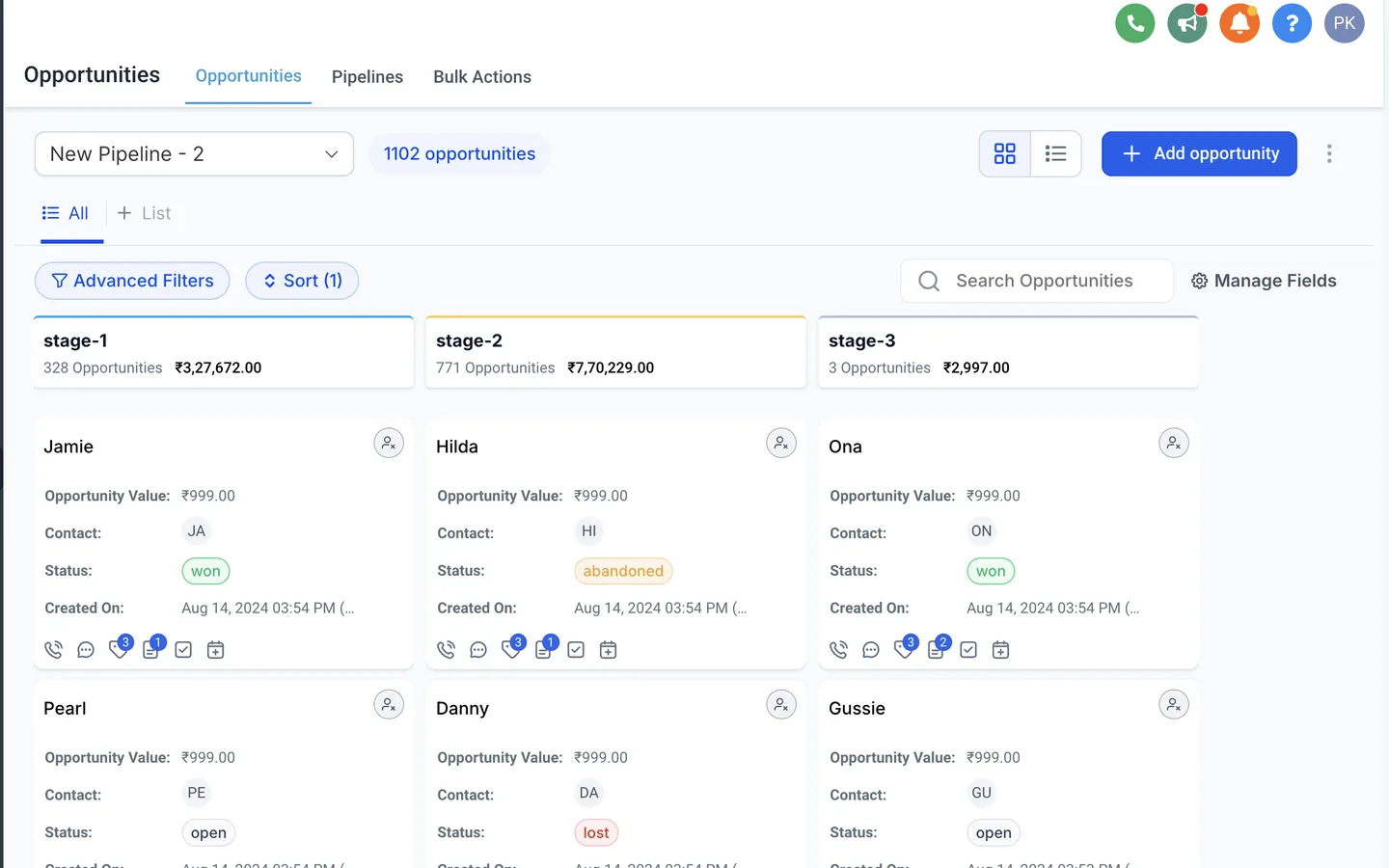
Pipelines and opportunities
Pipeline stages that match how you sell, with the fields your team needs on each card.
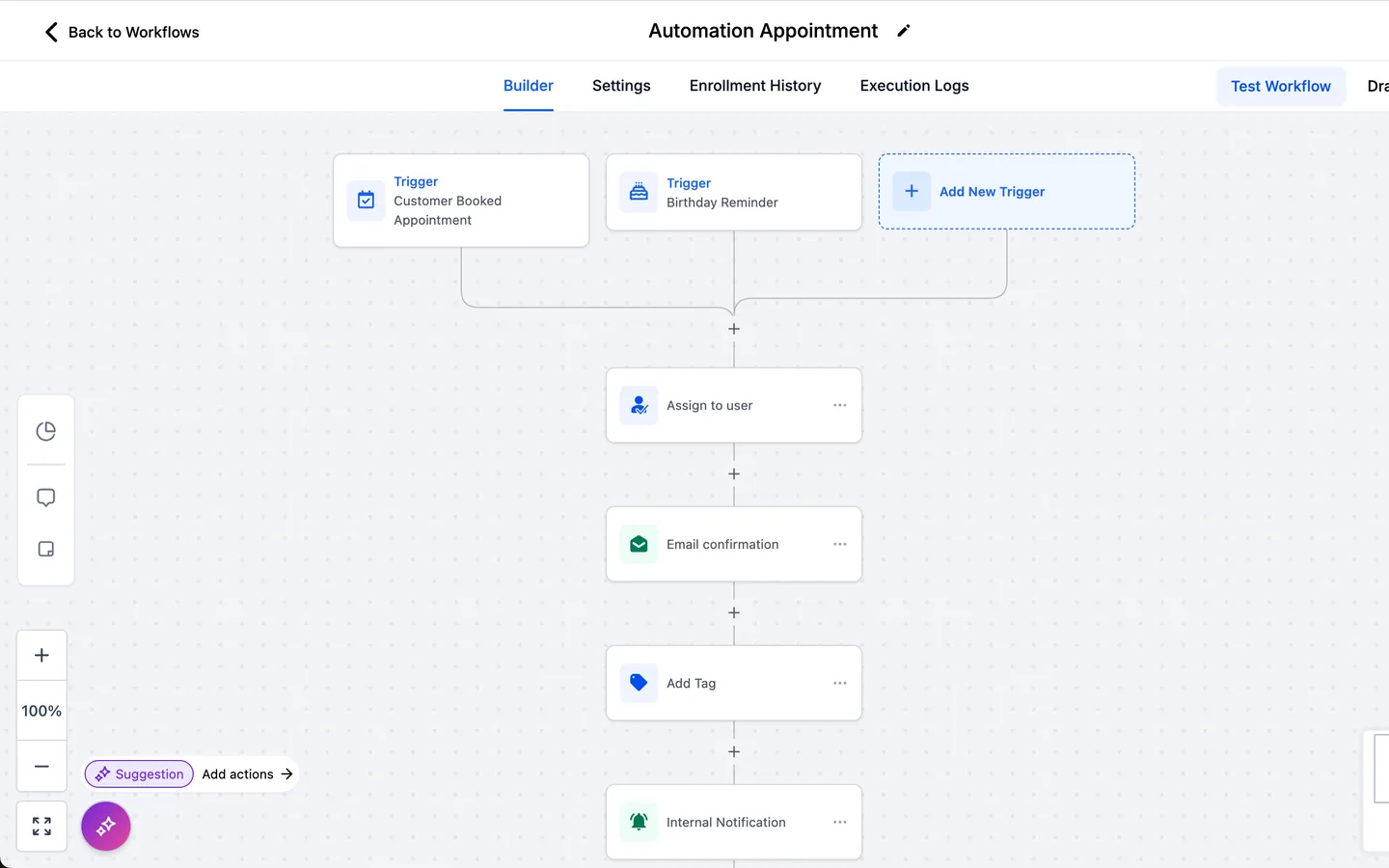
Workflow automation
Workflows that follow up by email and text, tag contacts and notify your team, tested before they go live.
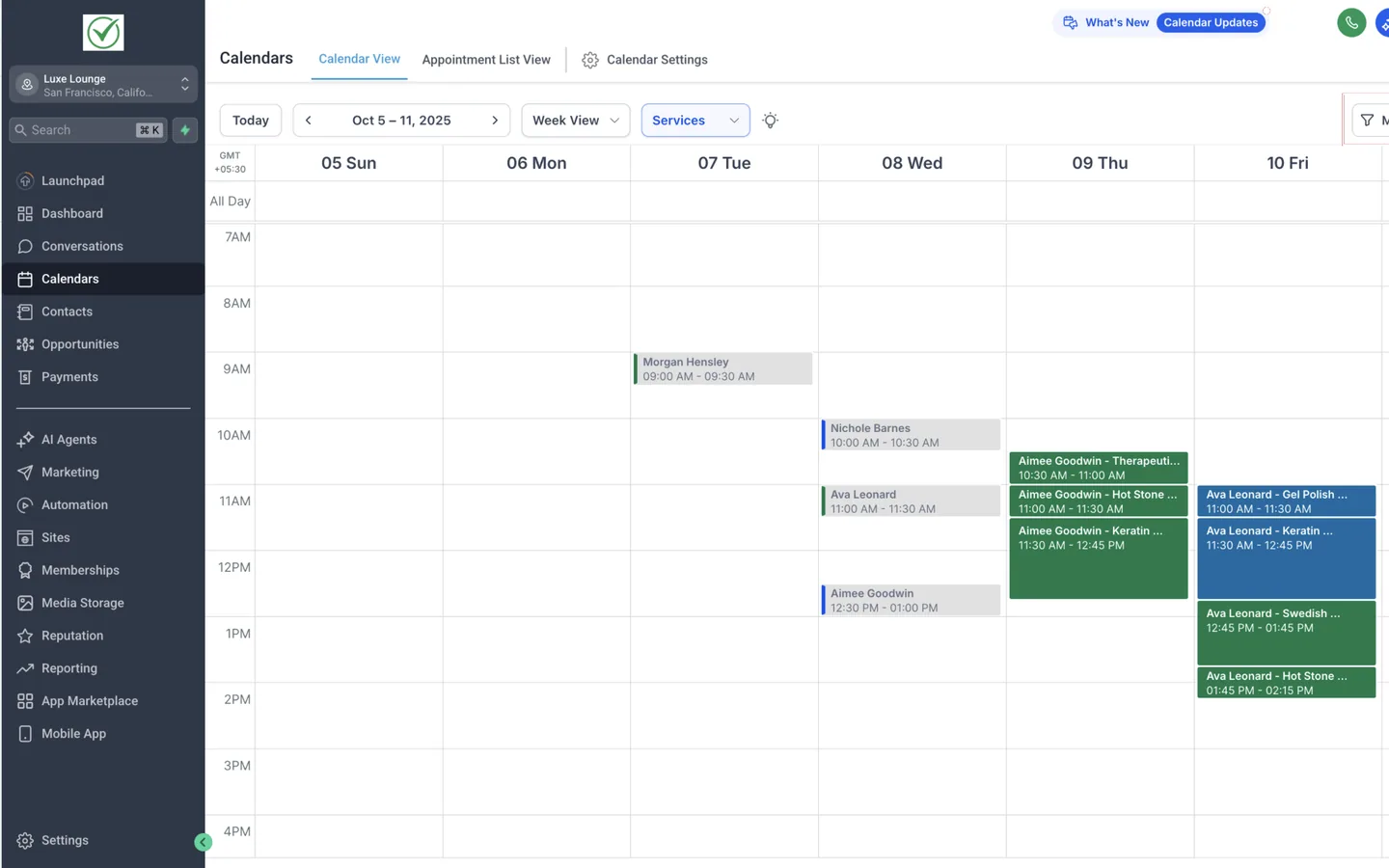
Calendars and booking
Booking calendars with the right session lengths, availability and reminders.
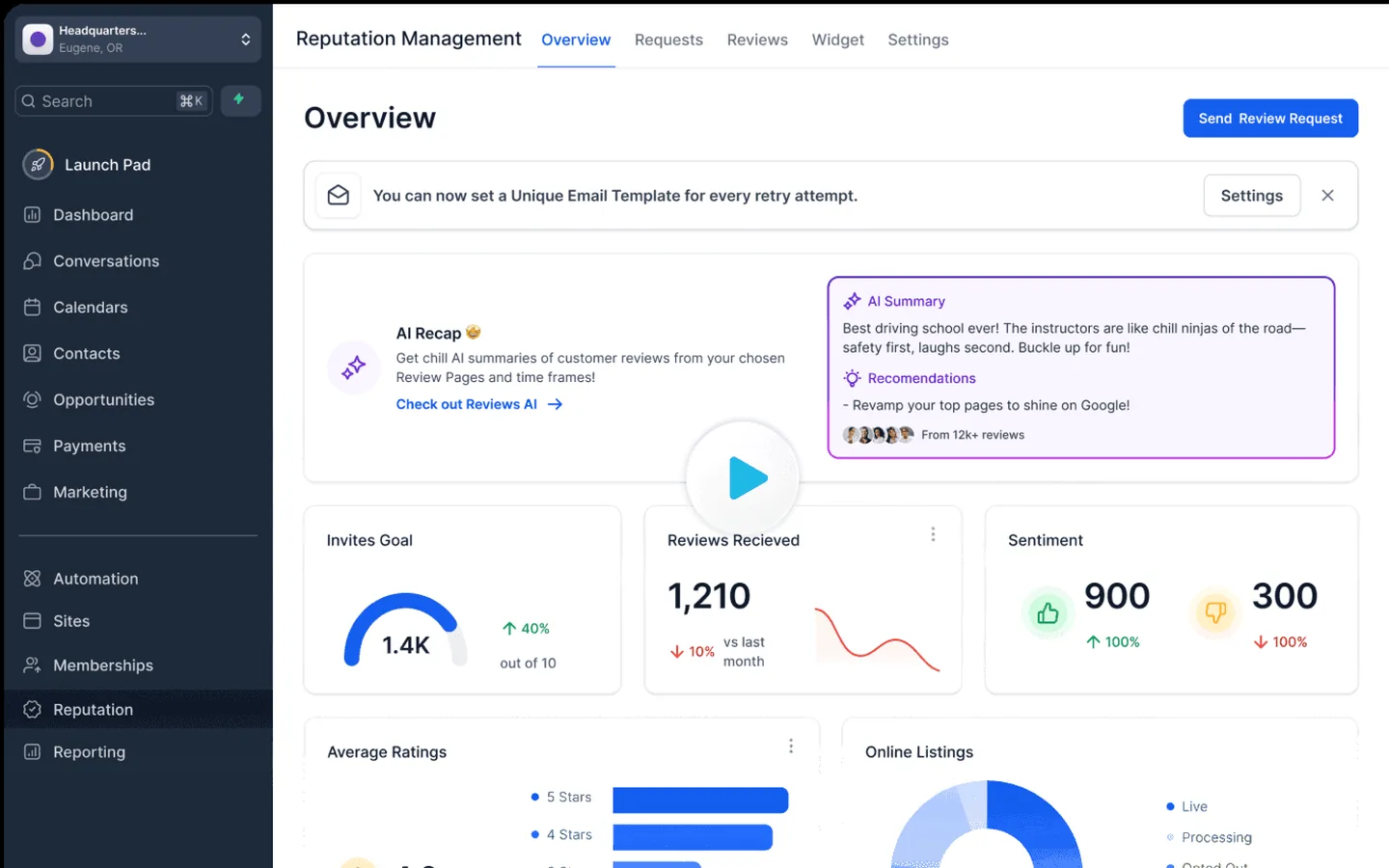
Reporting and reputation
Dashboards and review requests, with reports traced back to the right source account.
When GoHighLevel is doing less than it could.
GoHighLevel can run your CRM, marketing, booking and phone numbers in one place, but only when it is set up for how your business works. A lot of the support work also repeats, and some of it involves live accounts. You may be noticing that:
- Leads come in from forms and calls, but follow-up still depends on someone remembering.
- The account was set up quickly and the pipelines no longer match how you sell.
- Your team answers the same setup questions every week, one email at a time.
- Dashboards built from a snapshot show numbers from the wrong Google Ads or Google Analytics account.
- Web developers and ad agencies keep asking for form embed codes and domain records.
- Changes reach live accounts before anyone has tested them.
- A number port or texting registration has stalled and you do not know why.
- Healthcare customers have signed a BAA and their sub-account still needs to match it.
What I can help with.
White-label HighLevel support for agencies
I work inside white-labelled HighLevel accounts and use your platform's name with your members. I roll out snapshot updates across sub-accounts, handle A2P registration and number ports, and answer your members' support requests. I do this now for a white-label healthcare platform with more than 80 clinic sub-accounts.
GoHighLevel setup and builds
I set up new accounts and sub-accounts from the start: business details, users and permissions, phone numbers, sending domains, pipelines, custom fields, tags, calendars and forms. I build them around how your business sells and books, and I write down how everything is set up so your team can manage it.
SMS and email nurture workflows
I build the workflows that follow up with leads by text and email, remind clients about appointments, ask for reviews and move contacts through the pipeline. I test each one with a test contact before it goes live, so a message does not go out twice or to the wrong person.
Snapshot creation
I build snapshots you can load into new sub-accounts, with the pipelines, workflows, calendars, forms and pages a new client needs on day one. Agencies and SaaS platforms can then set up a new account in minutes instead of rebuilding it each time.
Integrations with your other tools
When GoHighLevel does not connect to a tool on its own, I connect it with Zapier, Make or webhooks, so leads, payments and bookings move between systems without copying and pasting. I also connect Stripe so you can take payments in your account. I test each connection with sample data and document what it sends where.
Calendars and appointment booking
I set up booking calendars with the right session lengths, availability, buffers and team members, connect them to Google or Outlook calendars, and add the confirmations and reminders that reduce no-shows.
Membership areas and courses
I set up courses and membership areas for digital products and client training, with the offers, access tags and welcome emails behind them.
Sub-account audits
I go through each sub-account to check that pipeline stages are right and leads land where they should, that automations start when a lead moves stage, and that calendars match how the client works. If a clinic books 30-minute sessions, I make sure the calendar is set to 30 minutes. I fix routine issues as I go, log them in a QA sheet and suggest improvements. When the same issue shows up in more than two accounts, I check the snapshot, because the cause is usually there.
Texting your leads and clients
I set up two-way texting so your team can reply to leads and clients from one inbox, with appointment reminders, missed-call text back and follow-up texts sent from your workflows. I add the opt-in wording to your forms and check that STOP and HELP replies work, so your texts follow carrier rules. Before you can text from a GoHighLevel number, it needs an approved A2P 10DLC registration, which I can prepare and submit for you.
WhatsApp, social posts and Meta ads
I connect WhatsApp to your inbox, schedule social posts in Social Planner and set up Meta ads through Ad Manager, with the tracking behind them.
Missed-call text back phone tree
I build the phone tree (IVR) that asks callers whether they are a new inquiry or a current client, rings the team, and takes a voicemail and sends a text back when the team cannot pick up. I test it with live calls before it goes live, and I keep each clinic's own menu and routing when I roll a change out. If you want to keep your number, I can forward it into GoHighLevel instead of porting it, and I explain what that changes for texting.
Workflow fixes, tested before they go live
When a workflow stops sending texts, emails or tasks, I review it from the trigger to the last action, read the execution logs and check the settings around it. That means the trigger and its filters, the phone number and A2P registration, contact consent and Do Not Disturb, the email sending domain, wait steps, if/else branches and goals, and older workflows running on the same trigger. I fix the cause, test each path with a test contact and send you a short note of what was wrong and what I changed.
Team task boards in GoHighLevel
I moved a team's work out of Asana into GoHighLevel's task board, 963 tasks with their owners, notes, comments and tags. I set up a column for each person, a workflow that emails people when a task is assigned to them, and a menu link that opens the board in one click.
Custom dashboards
When the built-in reports cannot show what you need, I build a dashboard panel that can. For one platform I built an onboarding view that shows how many new members are onboarding, who is past 14 days and how many finished within two weeks, refreshed every day from the task board.
Custom code across sub-accounts
When a setting cannot do what you need, I add custom JavaScript at the agency level and test it on several accounts before it goes live everywhere. For example, I hid the Google Ads cards on the dashboards of clinics that do not run ads, and kept them for the clinics that do.
Lead capture across many accounts
I found a lead capture workflow step that was turned off, turned it back on across 73 clinic accounts and added the clients it had missed to each pipeline. I then fixed the lead capture page links for 30 clinics so each one opens on the clinic's own domain.
Help desk support for your users
I answer support requests from your users, troubleshoot their accounts and pass anything that needs your developer on with the details they need. I check the live account before I reply, so the answer matches what the user sees. When an AI agent answers first, I review its replies and step in when an answer is wrong or the user needs a person.
Help articles from repeat tickets
I turn recurring tickets into plain-language how-to articles, each with an annotated screenshot and a cover image. I can load them into the GoHighLevel membership area as drafts through its API, ready for your review. Your team can then answer a common question with a link.
Workflows, calendars, forms and pipelines
I build and fix workflows, pipelines, calendars, forms, custom fields, dashboards and snapshots, in one account or across many sub-accounts. I trace triggers and conditions to find why an expected step is not happening, then test the fix.
Reporting that matches its source
I trace each report back to its source account, fix the connections and confirm the totals. When the cause is in a snapshot, I check whether the snapshot itself needs correcting, so it is fixed once instead of account by account.
Handovers for your vendors
I gather the form embed code, set up a dedicated sending domain with its SPF, DKIM, CNAME and MX records, and package everything into simple handover files for web developers and ad agencies.
Sandbox tests and quality checks
I recreate a workflow in a sandbox sub-account, send test emails to each stakeholder and compare the result with the live setup. I also review builds by other developers and vendors, check their support tickets against the response times you agreed, and write down what needs fixing and who owns it.
Project coordination for rollouts
When a change has to reach many sub-accounts, I plan the order, keep one list of what changed, what was skipped and why, and follow it until each account has been checked. You can see where the work stands at any point.
Snapshot updates across sub-accounts
I make the change on the snapshot and test it in a test sub-account first. Before I push anything, I check which accounts have custom work, so I do not overwrite what a client built. Then I send the change to the standard accounts in bulk, handle the customised ones one by one, keep a backup and log what changed in each.
Funnel pages and forms
I build pages in the funnel builder, such as an app download page or a waitlist page, with the form, tag, confirmation email and team notification behind them, and test each one end to end before I share the link.
Training videos and an AI assistant
I record short screen walkthroughs for your training library, one task per video, in a sandbox account so no live data shows. I can also merge your support FAQs into one set of answers and set up an AI assistant your team can use.
Conversation AI and Voice AI
I set up Conversation AI and Voice AI agents to answer your leads by chat or phone, and I test their replies before they go live.
A2P 10DLC registration and number ports
I prepare and submit texting registration (A2P 10DLC) and number ports. You can start an A2P registration with the form on my GoHighLevel A2P registration page. When a port stalls, I compare the request in GoHighLevel with the carrier's ticket, find the missing or mismatched detail and get it corrected, so the end customer is asked once. For A2P, I build the compliance pages myself on a subdomain: the contact page with the consent form, the privacy policy and the terms. Your client's main website is not touched, and the registration has everything carriers check for, which helps it get approved faster. After a port I retest calls, routing, voicemail and two-way texting before the number goes live.
HIPAA setup after a signed BAA
For healthcare customers who sign a Business Associate Agreement, I turn on the HIPAA setting, tag the account so the change can be traced and confirm the related follow-up is handled.
Tools and accounts I work in.
Most of the work happens inside GoHighLevel and the systems connected to it. I confirm what your plan and account allow before we agree on a change.
GoHighLevel
- Sub-accounts and snapshots
- Funnels and pages
- Workflows, calendars and forms
- Pipelines and custom fields
- Membership areas and courses
- Phone system and IVR
- WhatsApp and Social Planner
- Ad Manager
- Conversation AI and Voice AI
Connected tools
- Zapier
- Make
- Webhooks
- Google and Outlook calendars
- Google Ads
- Google Analytics
- DNS records for sending domains
- Carrier port tickets
Support
- Your support ticketing system
- Help articles
- Training videos
- Sandbox test accounts
Examples from the work.
Dashboards pulling the wrong data
Reports built from a snapshot were reading the wrong Google Ads or Google Analytics account. I fixed the connections, confirmed the totals and checked the snapshot itself.
A stalled port
A port into GoHighLevel from another carrier had stalled. I compared the request with the carrier's ticket and found the mismatched detail, so the end customer was asked once.
Testing before go-live
A team needed to see an automated email exactly as end users would. I rebuilt the workflow in a sandbox sub-account and sent test emails to each stakeholder.
Support that starts with checking the facts.
My background is in telecommunications technical support, which is why ports, phone numbers and carrier tickets are a normal part of this work for me. I check the facts in the live system before I reply, I test in a sandbox before I change anything live, and I hand partners files they can use straight away. I also read HighLevel's changelog every week, so I know what has changed and what to check in your accounts.
For a white-label healthcare software platform built on GoHighLevel, my work has included member support and onboarding, QA of the build vendor's support tickets, snapshot fixes tested in a test clinic account and rolled out member account by member account, an A2P and porting process for its onboarding team, an app download page and a waitlist page with their forms and follow-up emails, training library videos, two support FAQs merged into 118 answers with an internal AI assistant, a fix for a subscriber tracker script, and a phone tree pilot. Since the platform moved its technical work from its build vendor to me, I also audit every clinic sub-account, roll out snapshot and workflow changes across all of them, and handle texting registration and number ports.
The GoHighLevel case study walks through nine kinds of problems I handle for SaaS platforms and agencies, and how I work through each one.
Choose a starting point.
A GoHighLevel setup or build
For a new account, a snapshot, a set of workflows or a cleanup of an account that no longer matches how you work.
Ongoing GoHighLevel support
For agencies and SaaS platforms that need one reliable person for their support queue, account fixes and vendor handovers.
A focused project
For a defined piece of work, such as a set of help articles, a reporting fix across sub-accounts or a review of a vendor's build.
How we start.
- 01
A free call
We talk about how many sub-accounts you support, the requests that come in most often and where tickets arrive, and see whether we are a good fit.
- 02
A proposal
If we are a good fit, I send you a proposal with the scope, timeline and price.
- 03
The contract
Once you accept the proposal, I send you the contract to sign.
- 04
Kickoff and onboarding call
We meet to set up access, confirm the priorities and agree how we will stay in touch. Then I start the work.
GoHighLevel and CRM guides
GoHighLevel workflow not sending texts
The checks I run, in order, when a workflow text never arrives.
Read the guideHow to set up a course portal in GoHighLevel
Products, lessons, offers, access and the welcome email, step by step.
Read the guideWorkflow automation audit
Review triggers, ownership, connected tools and failure handling before making changes.
Read the guideGoHighLevel Solutions FAQ
Other ways I support businesses
Zapier and Make automations
Connections between GoHighLevel and the other tools you use.
Explore Zapier and Make automationsSales Funnels in GoHighLevel
Opt-in, sales and thank-you pages with the follow-up connected.
Explore Sales Funnels in GoHighLevelCourse Portals in GoHighLevel
Courses and memberships with logins, lessons and welcome emails.
Explore Course Portals in GoHighLevelGoHighLevel Support for Therapists
Enquiry forms, consultation bookings, follow-up workflows and practice administration for therapists.
Explore GoHighLevel Support for TherapistsGoHighLevel A2P 10DLC Registration
Send your business details and I prepare and submit your texting registration, with the compliance pages it needs.
Explore GoHighLevel A2P 10DLC RegistrationCRM & Workflow Support
GoHighLevel, HubSpot and Keap support: workflows, pipelines, forms, integrations and documentation.
Explore CRM & Workflow SupportKeap & Infusionsoft Consultant
Cleanup, campaign repairs, integrations and documentation for Keap and Keap Max Classic accounts.
Explore Keap & Infusionsoft ConsultantTell me what you need from GoHighLevel.
Share what you want to set up or fix, how many sub-accounts you support and any dates you are working towards. You can book a free call at a time that suits you, and we will go through it on the call.
Book a free callThe booking page shows my available times, so you can choose one straight away. If you would rather write first, send a message through the contact page and I will reply within one business day.
Tell me what you need help with, and I will suggest where to start.