
AI lead handling: every enquiry read, scored and followed up
AI reads each website enquiry, scores the lead out of 100, alerts you about hot leads, follows up warm ones and sends one summary email a day.
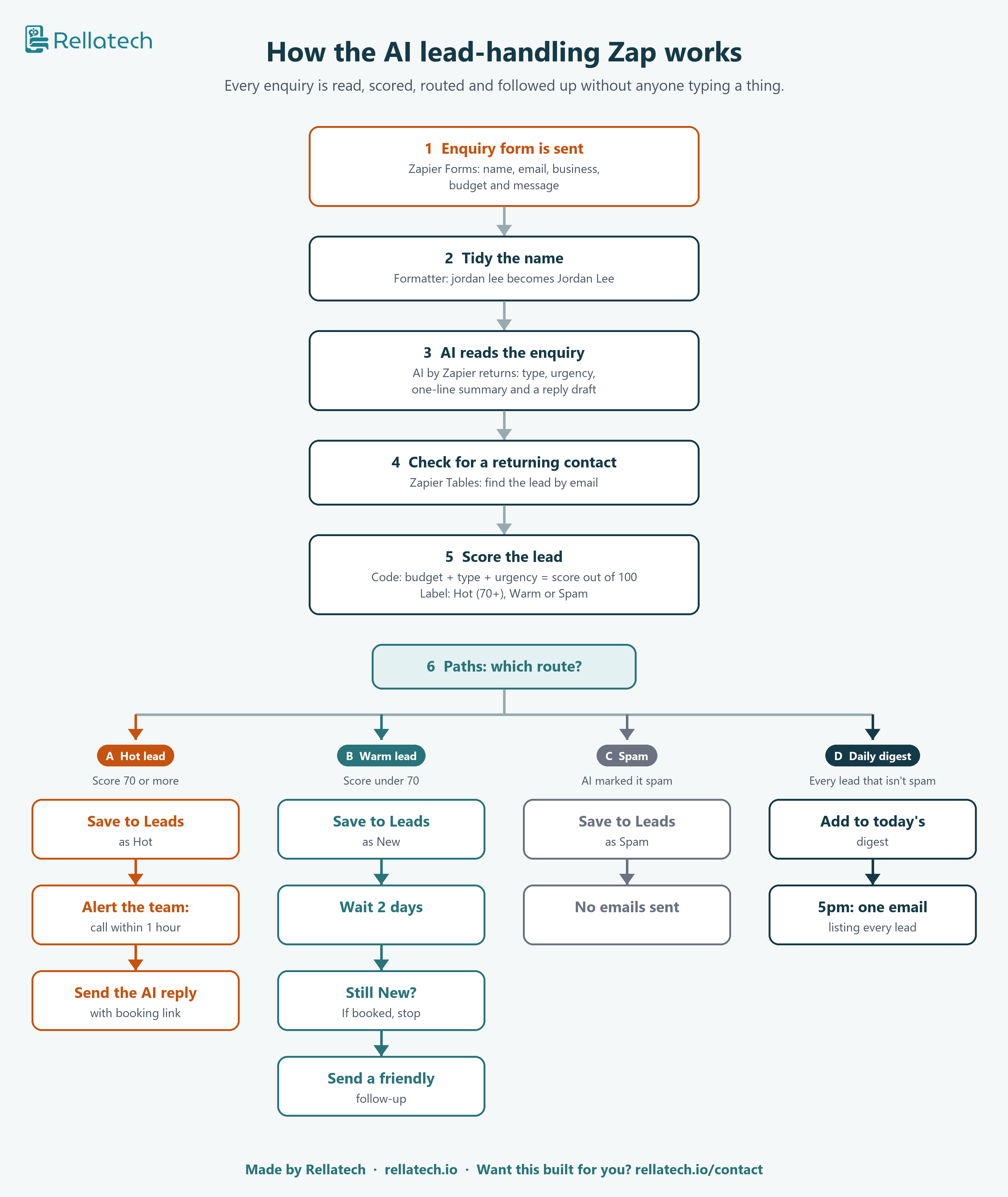
A new enquiry comes in through your website form. The Zap tidies it, lets AI read it, scores the lead out of 100 and sends it down the right route. Hot leads get a call alert and a reply within a minute. Warm leads get a follow-up two days later if they have not booked. Spam is logged and ignored. At 5pm you get one email listing the day's leads.
Silent walkthrough with captions, 3 minutes. Built and tested live in my own Zapier account.
What it does
- 1
Reads the enquiry
AI decides if it is a booking, a quote, a question or spam, how urgent it is, and drafts a reply.
- 2
Scores the lead
Budget, type and urgency add up to a score out of 100. 70 or more is Hot.
- 3
Hot leads: acts straight away
Saves the lead, alerts your team to call within an hour, and sends the AI reply with your booking link.
- 4
Warm leads: follows up
Saves the lead, waits two days, and sends a friendly follow-up only if they still have not booked.
- 5
Daily summary
Spam is logged with no emails. Every real lead goes into one summary email at 5pm.
Tools used
How it works
Fillable PDF · 9 pages
Build it yourself
The free step-by-step guide lists every step, every setting and the exact AI prompt and code I used, with a tick box for each step.
Want this built for your business?
I set it up in your own account, connect it to your form and CRM, and test it with you before it goes live.
Common questions